Version 6.3: Feedback, Tree & Search Enhancements
Welcome! The team here at Sprocket 365 have just released version 6.3 for you. This release is packed with handy new abilities to make your life (even) easier when delivering bespoke functionality for your organisation's digital workplace on SharePoint.
Our release notes section has the complete list of enhancements and fixes for you, but let's take a look at some of the key highlights
Feedback on Pages
Automatically provisioned feedback for Knowledge Hub
Streamlining user support has never been easier. Not to mention enhancing your data collection capability and reducing manual effort. All thanks to this handy new button!
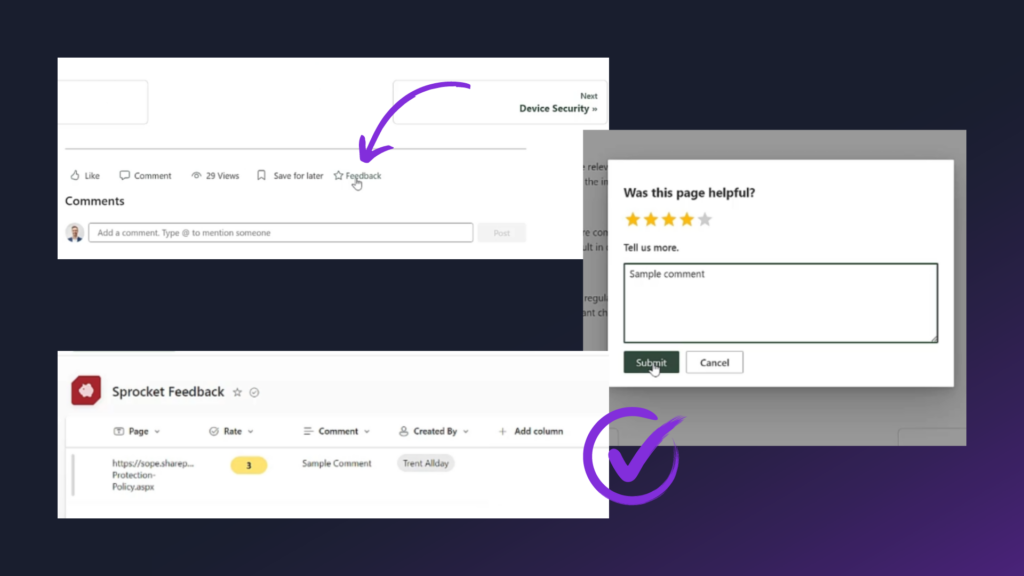
You can now leverage an automatically provisioned SharePoint feedback list and foster a culture of continuous improvement, ensuring that IT services evolve in line with user needs and expectations.
You can also: Turn on Power Automate notifications; Configure feedback to the root hub (if your site is part of a hub) or; Remove inheritance and turn on feedback at site level.
Advantage: Increased user satisfaction leads to higher engagement with IT services and better compliance with IT policies and best practices.
Trees, Nodes & Pagination
Optimise your hierarchy in Knowledge Hub
This update inside version 6.3 is great for controlled visibility during deployment.
Now, within the Knowledge Hub left-hand navigation, you can: Expand & collapse all tree nodes; Hide tree nodes; Enable super easy page browsing.
Simple, but extremely efficient when it comes to content review, editing, collaboration (for multiple admins and creators) and reducing cognitive load.
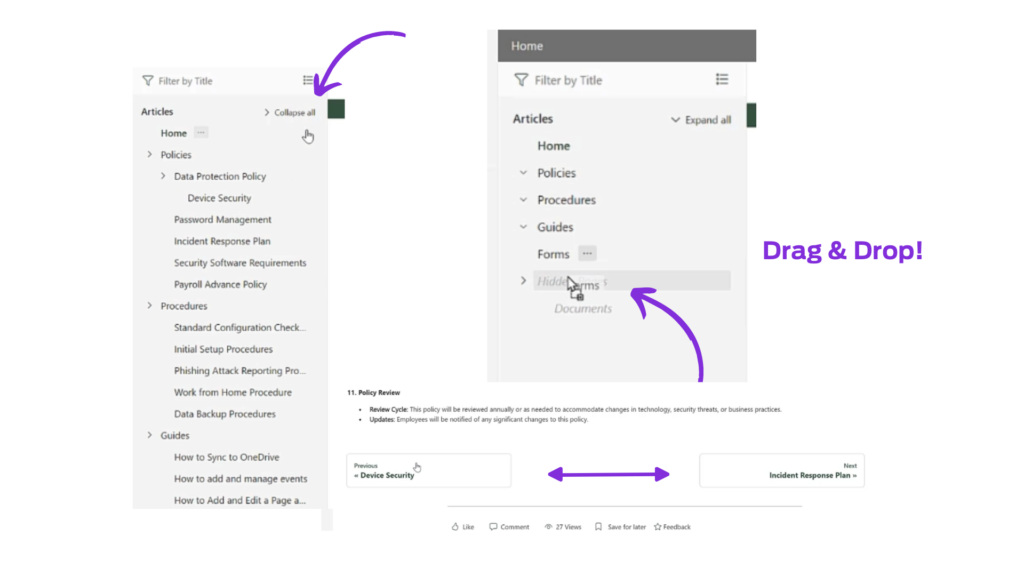
As above, you can see the expand/collapse navigation, as well as the ability to easily drag and drop tree nodes into the hidden pages section only visible to site admins.
Advantage: With a gradual content release, IT admins can incrementally release sections of the knowledge base by hiding nodes until they are fully ready, enabling a phased rollout. This ensures that users only access well-vetted and fully prepared content, maintaining trust in the knowledge base as a reliable resource.
Search Enhancements
Seek and ye shall find… (in SharePoint)
Version 6.3 brings with it greater search functionality across your pages. Who doesn't love a good time saver!
This is a slight (but extremely useful) enhancement on the existing search web part. As you can see in the example below, Sprocket365 will now return typeahead responses from your search. Users can then simply select and get taken to the document they need.
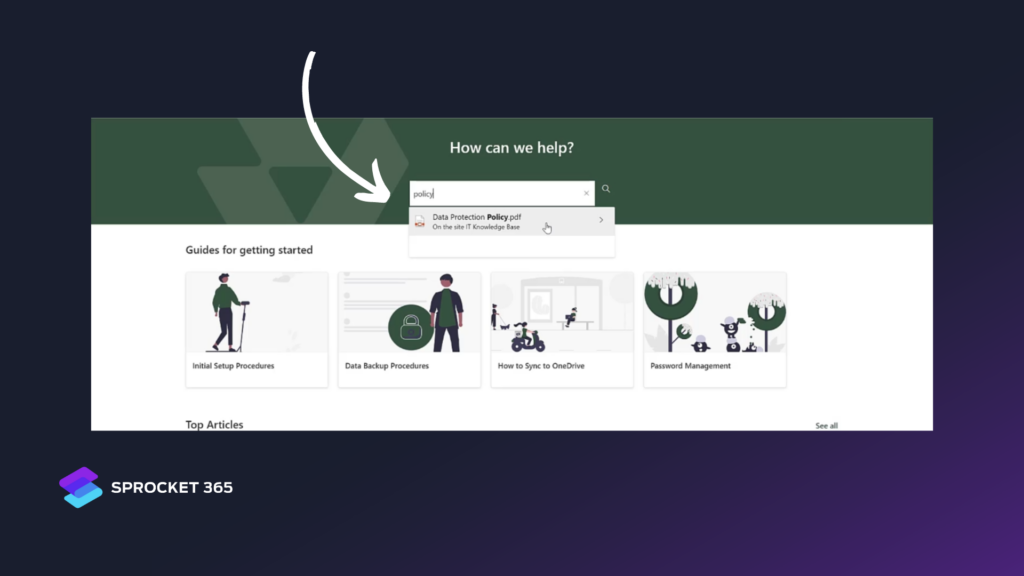
Advantage: In addition to the reduced support burden (hooray!) the decreased 'time to information' encourages users to keep coming back to your knowledge base and improves overall adoption rates.
Version 6.3 Demonstration
After reading about the updates, seeing them in action can help everything make sense. Watch Trent's version 6.3 demo below to see how the new features work inside SharePoint.