Version 6.4: Knowledge Hub, People Hub & List Enhancements
Just in time for Christmas! (I've always wanted to say that). The team here at Sprocket 365 have just released version 6.4 for you. This release is packed with handy new abilities to make your life (even) easier when delivering bespoke functionality for your organisation's digital workplace on SharePoint.
Our release notes section has the complete list of enhancements and fixes for you, but let's take a look at some of the key highlights
Add Pages Directly from the Left-Hand Wiki Menu
Better access to documentation tools
In response to valuable feedback, we've introduced this new way to help you streamline the content creation process. Super handy for those managing large volumes of knowledge.
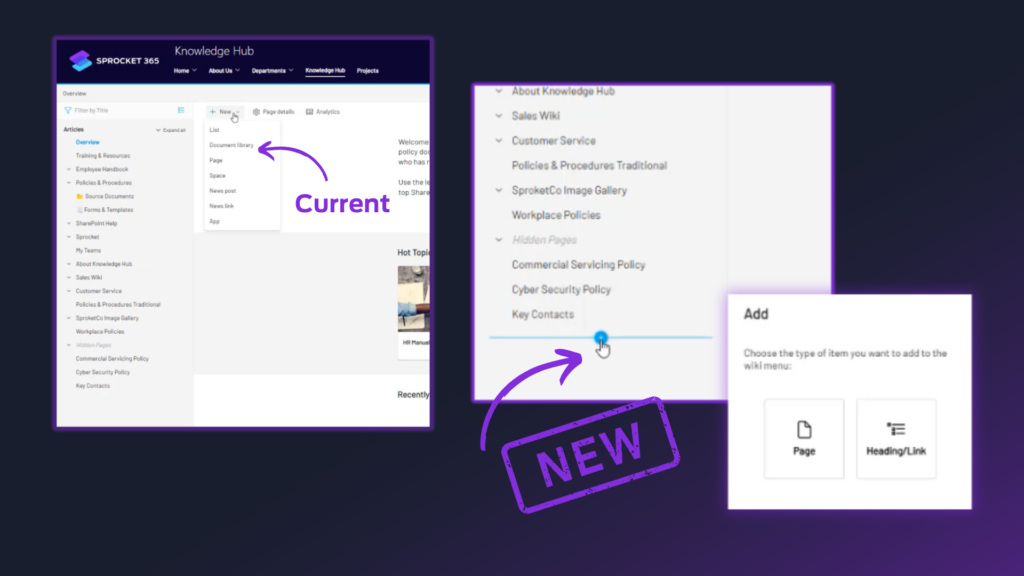
We love making life easier, so now you don't have to go anywhere else to add pages, just hover in your wiki and hit that good-looking '+'. Then, choose from your fly-out options and away you go.
Advantage: Admins can now create new content in context
Column Width Stored in Browser for People Hub
Better visibility and usability preferences
It's often the small things in life that 'just work' that makes all the difference. Each user can now adjust column widths to suit their specific needs, such as emphasising key fields important to your organisation. These adjustments are stored locally, so every time they log in from their browser, their view remains consistent.
For those managing large datasets, having column widths persist between sessions means less time spent re-adjusting views and more time focusing on the data that matters.
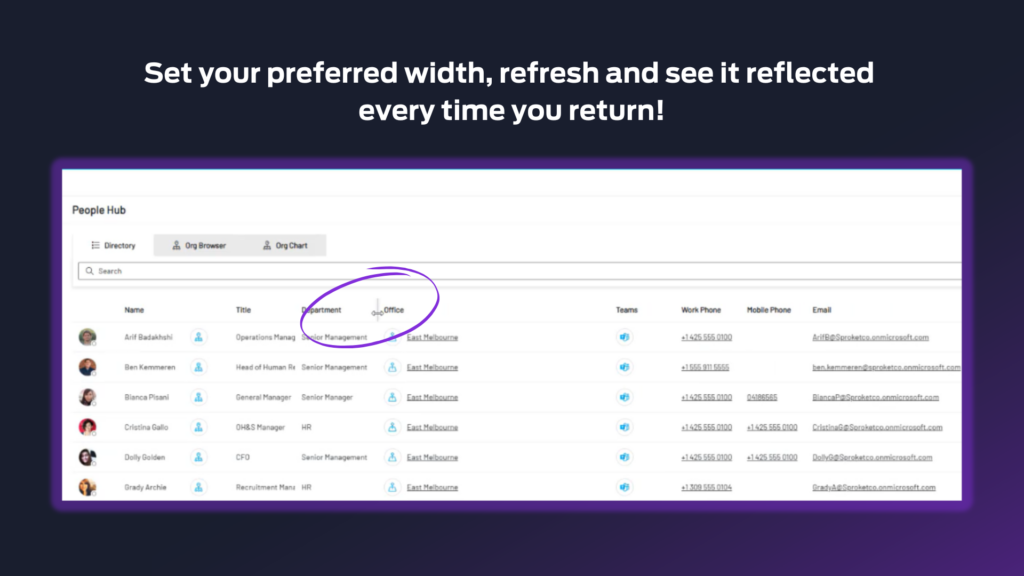
Advantage: In environments where multiple people access the People Hub, storing column preferences in individual browsers ensures that every user sees the layout they need, without affecting others.
And no need for complex backend configurations or additional IT maintenance!
Ability to Hide Page Tree Nodes in the Knowledge Hub
Ensure that incomplete or sensitive content remains behind the scenes until it's ready
Managing knowledge effectively means not just delivering the right content, but doing so at the right time.
This feature provides you a quick 'drag and drop' functionality so you can easily edit, reorganize, and refine the content until it meets your standards. Once ready, a simple action makes it visible, reducing the need for disruptive or large-scale updates.
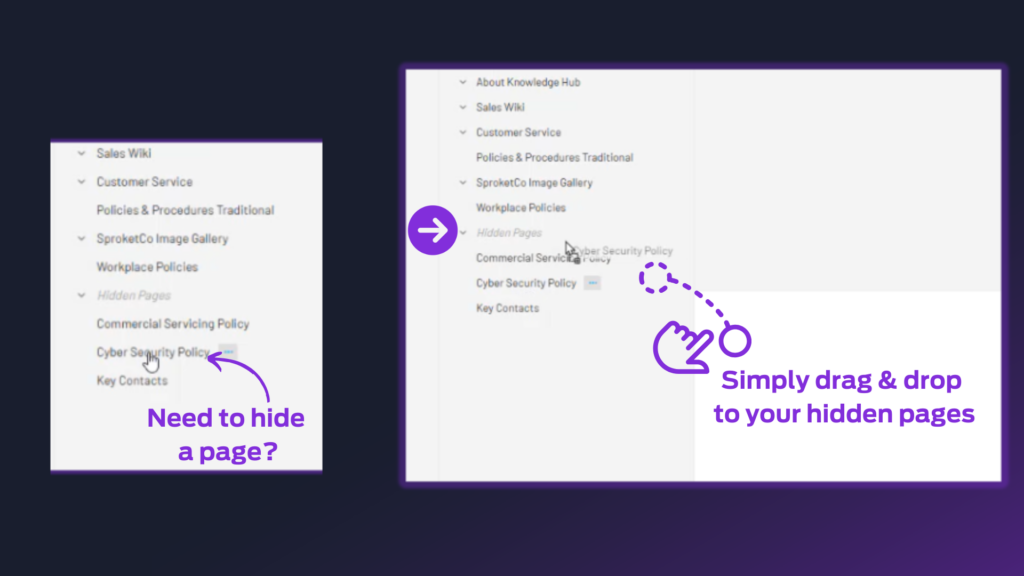
Advantage: You can map out and finalize future additions to the knowledge base, building out entire page trees in advance of a major release or update. This makes planning and execution smoother and more efficient.
Support for Images in the List Web Part
Creating a richer, more engaging experience for users
Whether it's a list of external contacts with profile pictures or a catalog of assets with image references, this update allows images to be displayed directly within the web part, adding valuable visual context to data.
Users can visually identify records at a glance, reducing the need to click through individual entries. This is especially beneficial for HR teams, sales, or inventory management, where visuals enhance recognition and understanding.
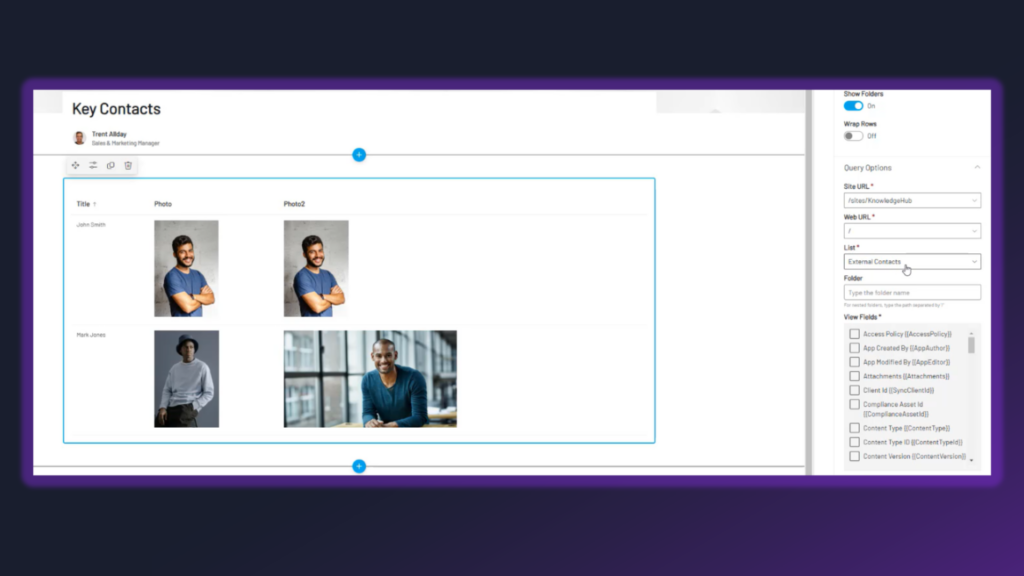
Advantage: By integrating images seamlessly into list views, the web part supports a more polished and professional display of data, elevating SharePoint's role as a key business tool.
Shout Out: Speeding Up the Read List Admin Centre
Faster. Better. Stronger.
Just quickly, a huge thank you for some great feedback. We've heard you! For those of you managing large read lists with numerous users, you may have experienced slower-than-expected load times in the Read List Admin Centre. To address this, we've completely re-factored how the system operates under the hood, resulting in significant performance improvements.
Version 6.4 Demonstration
After reading about the updates, seeing them in action can help everything make sense. Watch Trent's version 6.4 demo below to see how the new features work inside SharePoint.