Version 7.1: Employee Recognition, Favourites, Onboarding and More
Sprocket Version 7.1 is here, and it's one of our most feature-rich releases to date.
Three brand-new web parts. A long-awaited Favourites feature. Major improvements to Read Lists, the Accordion, Knowledge Hub, and more. And for admins, upgrading Sprocket is now a single click.
Here's everything that's new.
New Web Part: Employee Recognition
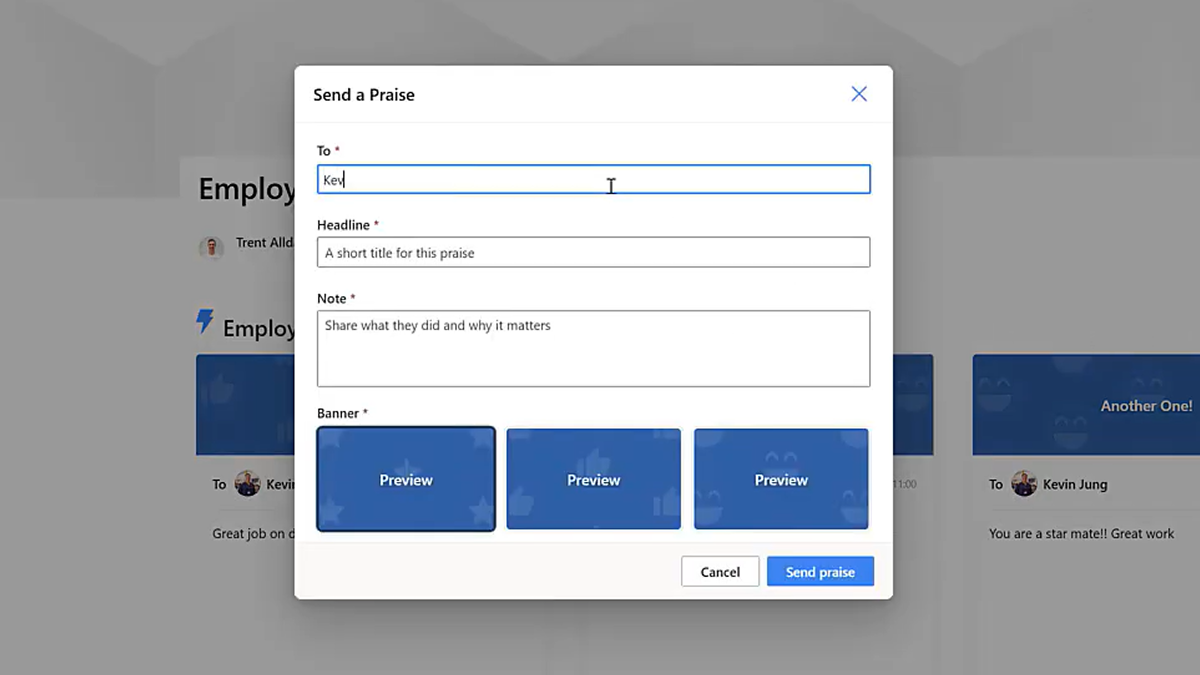
Building a culture of appreciation is hard when recognition gets buried in emails and chat messages. The new Employee Recognition web part fixes that.
Employees and managers can now publicly recognise colleagues for their contributions and achievements — directly inside SharePoint, on any page, visible to everyone.
It's a simple addition that makes a real difference to how teams feel seen and valued at work.
New Web Part: Page History
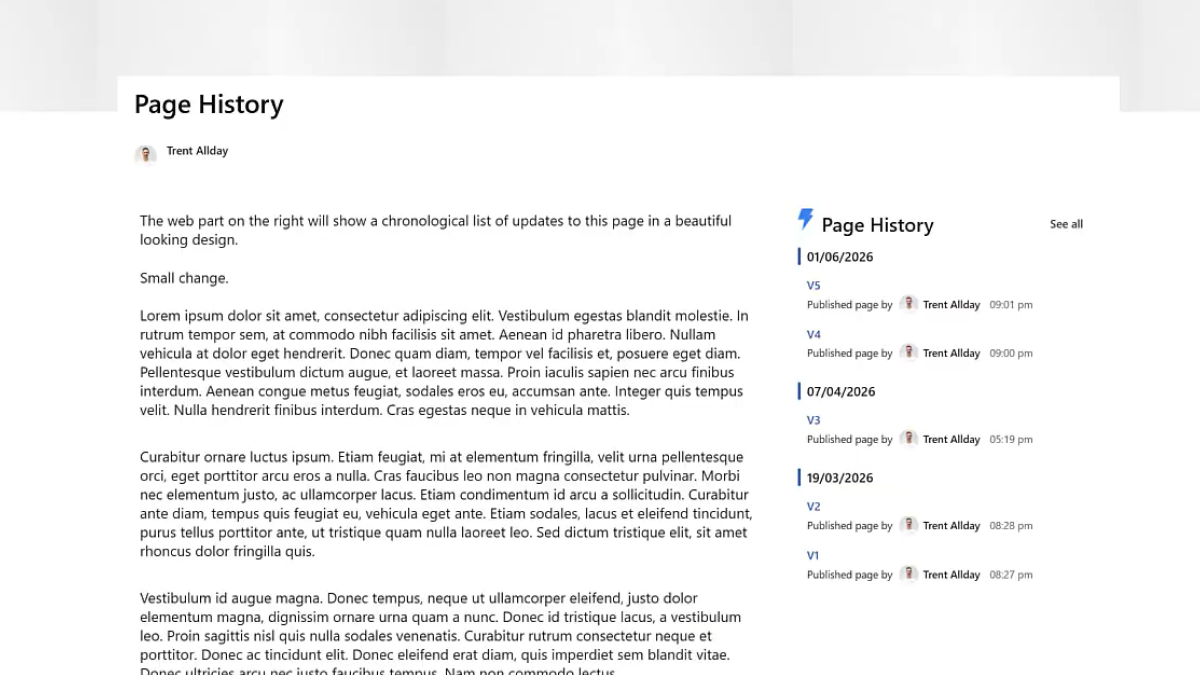
The new Page History web part displays the full revision history of any SharePoint page.
Add it to a policy page, knowledge base article, or any content page where accuracy matters — and users can see previous versions, track what changed, and when. Great for compliance, governance, and keeping stakeholders confident that the content they're reading is current.
New Web Part: Onboarding
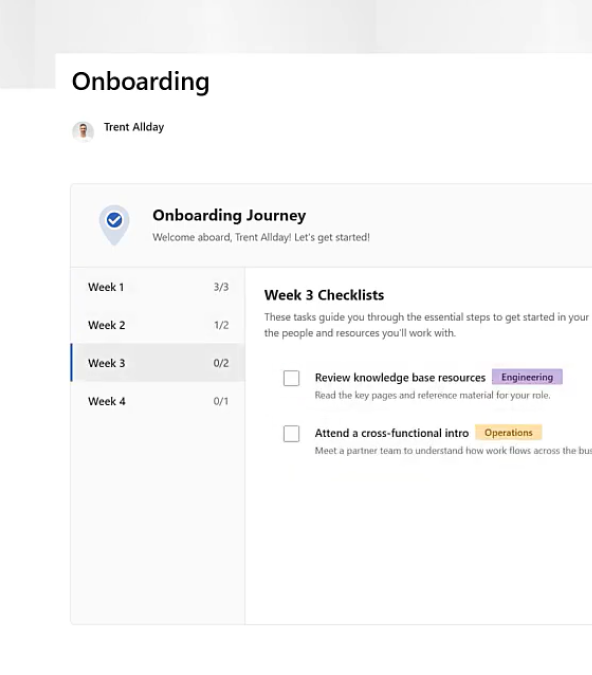
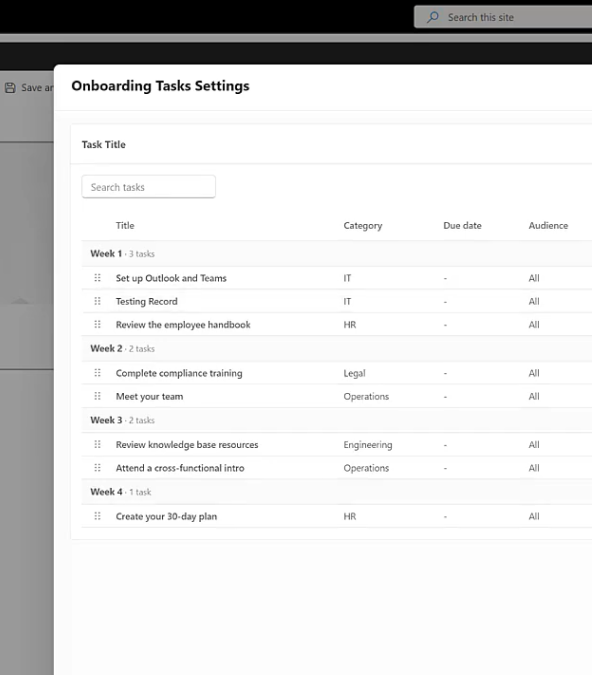
Starting a new job is overwhelming. The new Onboarding web part helps organisations give new starters a structured, guided experience during their first days.
Rather than pointing new employees at a blank SharePoint site and hoping for the best, you can now surface the right information, in the right order, from day one. Set it up once and it works for every new starter that follows.
New: Favourites
This one has been requested a lot — and it's finally here.
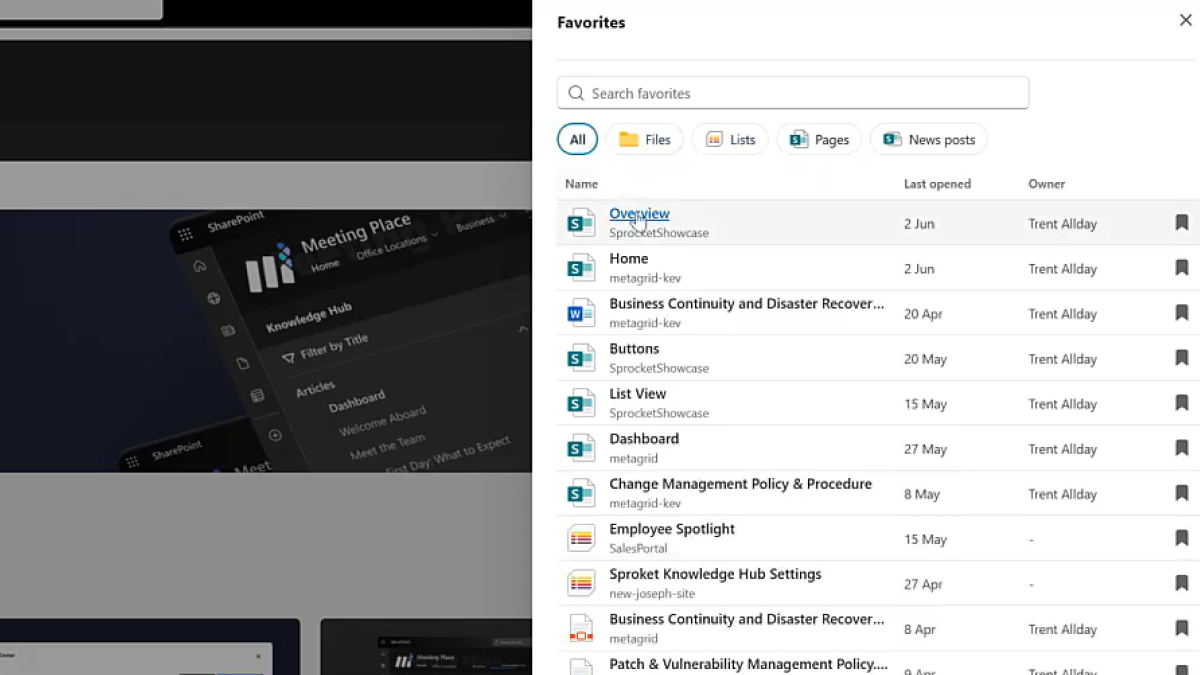
Users can now bookmark pages, documents, and links as favourites for quick access. A personalised favourites panel is available across the intranet, so the things people use most are always one click away.
On larger intranets with a lot of content, this makes a significant difference to day-to-day usability.
Updated: Birthdays & Milestones
The web part formerly known as “What's Up” has been renamed to Birthdays & Milestones — a much better reflection of what it does.

Along with the rename, this release adds:
- Support for showcasing new starters
- Confetti celebrations on birthdays and work anniversaries
- Updated anniversary wording
- A range of UX improvements for a more engaging experience
It's a small web part that gets a lot of visibility. Now it's a lot more fun.
Improved: Read Lists
Read Lists have had a significant update in 7.1.
Extended to documents and videos. Reading assignments now cover more than just pages. If you need staff to read a policy PDF or watch a training video, you can now track that alongside page reads.
No more manual API approval. The requirement for a manual API approval step during setup has been removed. Read Lists now work out of the box — no extra configuration needed for new deployments.
Better admin reporting. Additional fields have been added to the admin compliance view, giving administrators greater visibility into reading progress and where gaps exist.
My Reads Checklist. You can now configure the checklist to surface read assignments from a specific site, rather than defaulting to the current one.
Overdue CSS identifiers. Overdue checklist items now have unique CSS class identifiers, making it easy to apply custom styling to highlight them.
Improved: Accordion
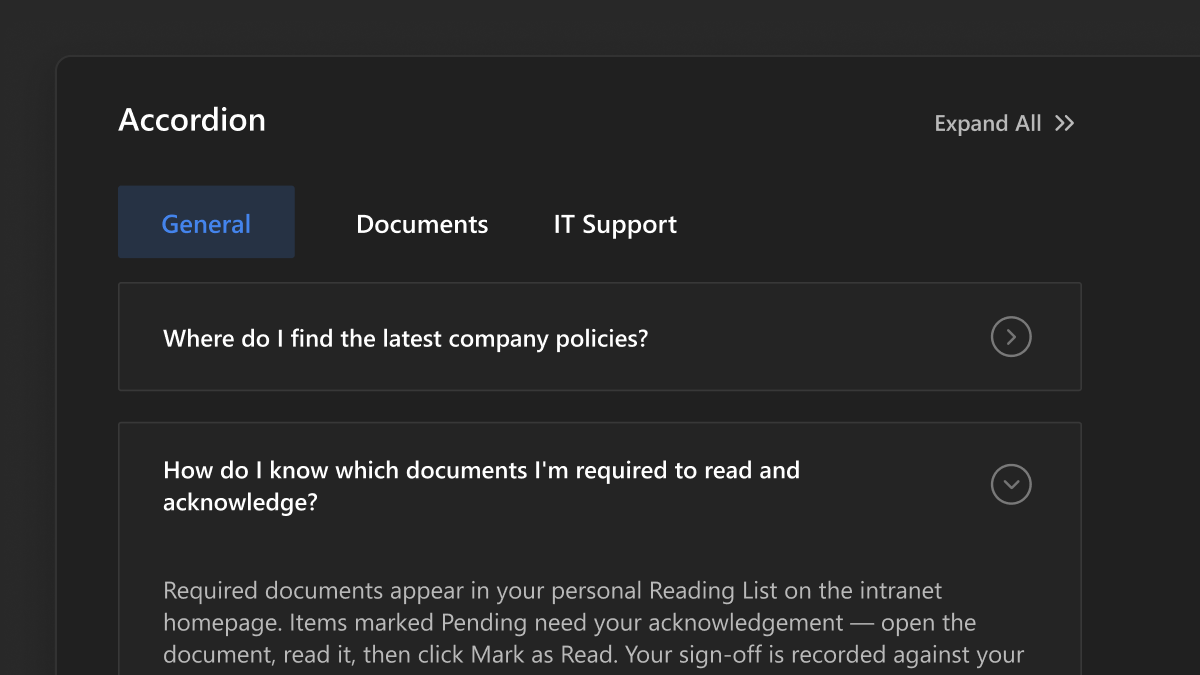
The Accordion web part has had a full UX overhaul in 7.1, and we've added something really useful: Group By support.
Accordion items can now be automatically organised into collapsible groups based on any field. If you've got a large FAQ or a structured content page, you can group by category, topic, or any column — much easier to navigate than a flat list.
The authoring experience has also been improved across the board for a more polished and intuitive feel.
Improved: Custom List
Several useful additions to the Custom List web part in this release.
- JSON formatting support. Conditional formatting configured in the SharePoint list editor — including fill colour and background colour — is now respected inside the web part.
- Filter and sort columns. You can now filter and sort columns the same way you would in a standard SharePoint list, giving users a familiar and consistent experience.
- Deselect Group By. You can now remove a Group By field after it's been applied, returning the list to its ungrouped state without reconfiguring everything.
Improved: Knowledge Hub
A few useful improvements to Knowledge Hub in 7.1.
Simplified bulk moves. Moving tree nodes within large hierarchies is now much simpler — fewer steps, more reliable, especially when reorganising content structures with many items.
Wildcard search. Knowledge Hub search now supports wildcard queries. Search for proj* and you'll get results for “project”, “projects”, “projections” — broader, more flexible results with less effort.
Rename folders in-tree. SharePoint folder mode now supports renaming folders directly within the tree navigation. No need to navigate to the SharePoint library to do it.
Improved: Sprocket Upgrade
This one's for the admins.
Upgrading Sprocket is now a single click from the Management Portal. No manual package deployment, no extra steps. Click upgrade, and you're done.
Staying up to date should be easy — and now it is.
Additional Enhancements
Version 7.1 also includes a wide range of improvements across the product:
- Events: New “My Calendar” data source option, surfacing events from the current user's personal Outlook calendar.
- AI Summary: Updated with Microsoft Copilot integration for organisations using Microsoft 365 Copilot, alongside the existing OpenAI API option.
- People Hub: Filter options added to Org Chart and Browser views. Directory tab now defaults to alphabetical ordering.
- Calendar: Hovering over a calendar event now surfaces additional column data configured by the administrator.
- Documents: New tile view formatting options for layout density and metadata visibility.
- Feedback: Users can now attach files and images to feedback submissions.
- Related Pages: Clicking the link icon now opens the page properties panel directly for faster editing.
- Hero: New dynamic field option for Site Name, automatically displaying the current site's name without manual configuration.
- Header: Usability enhancements to the Mega Menu, including improved keyboard navigation and rendering consistency.
- Process: Hyperlink support within process step content.
- Management Portal: Support for excluded users, allowing specific accounts (such as service accounts) to be excluded from licence tracking.
- Sprocket Settings: Settings saves now use SharePoint eTags to prevent race conditions when multiple administrators save simultaneously.
For the full list of updates and bug fixes, refer to the complete release notes.
Version 7.1 is one of the biggest releases we've shipped. Three new web parts, a Favourites system, significant Read List improvements, a better Accordion, and an upgrade experience that finally works the way it should.
As always, we'd love to hear what you think.
Happy Sprocketing!